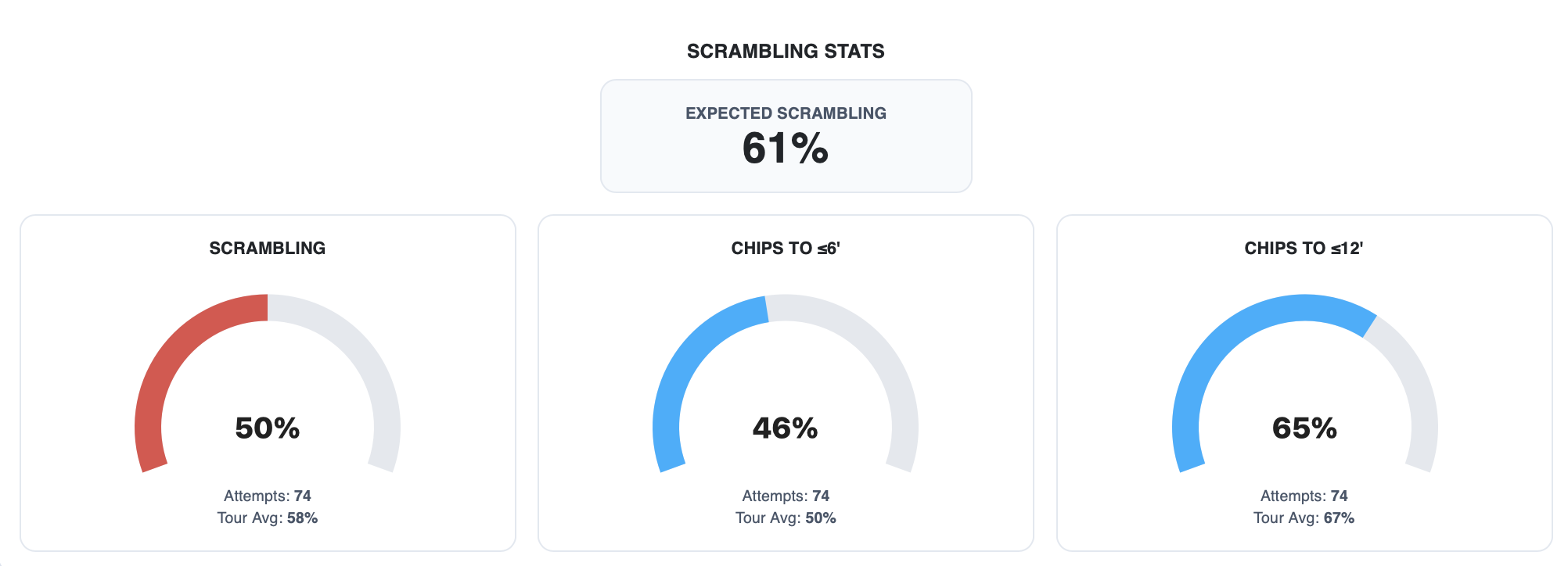
If you have ever finished a round wondering whether your putting or your driving cost you more shots, you have already asked the question strokes gained was built to answer. The problem is that most golfers never get a straight answer, because the scorecard cannot give one.
That is why we built two free strokes gained calculators. You enter a few numbers from your round, and you see exactly how much you gained or lost on the greens and off the tee, measured against tour-level baselines. No account, no email, no signup.
Try the free strokes gained calculators
What Is Strokes Gained?
Strokes gained compares every shot you hit to a benchmark: the average number of strokes a tour-level player needs to finish the hole from that exact distance and lie.
The formula is simple:
Strokes gained = expected strokes before the shot − expected strokes after the shot − 1
Positive means you beat the baseline. Negative means you lost to it. Because every part of the game is measured in the same unit, you can finally compare them directly. Losing 1.5 strokes putting and 4 strokes off the tee tells you where your practice time should go.
Why Your Scorecard Can’t Tell You This
Putts per round, fairways hit, and greens in regulation all ignore where a shot started. Two putts from 50 feet and two putts from 5 feet look identical on a scorecard. One is a good result. The other costs you almost a full stroke.
Here is a quick example. If a tour player averages 1.59 putts from 10 feet and you hole it in one, you gained 0.59 strokes. If you take two putts, you lost 0.41. Same hole, same distance, completely different story, and a putts-per-round number would hide it.
For a deeper look at why traditional putting numbers mislead, read Putting Stats Are Lying to You.
The Free Strokes Gained Putting Calculator
The strokes gained putting calculator works over 9 holes. For each hole you enter two things:
- Your first-putt distance in feet
- The number of putts you took
The calculator compares each hole to a tour-level baseline that covers distances from 1 to 120 feet and gives you your total strokes gained putting for the nine.
Use it after a round, or after a practice session on the course, to see whether your putting was actually the problem or whether it only felt that way. If you want to go further, tracking your misses with slope and break data shows what your stroke is really doing.
The Free Strokes Gained Driving Calculator
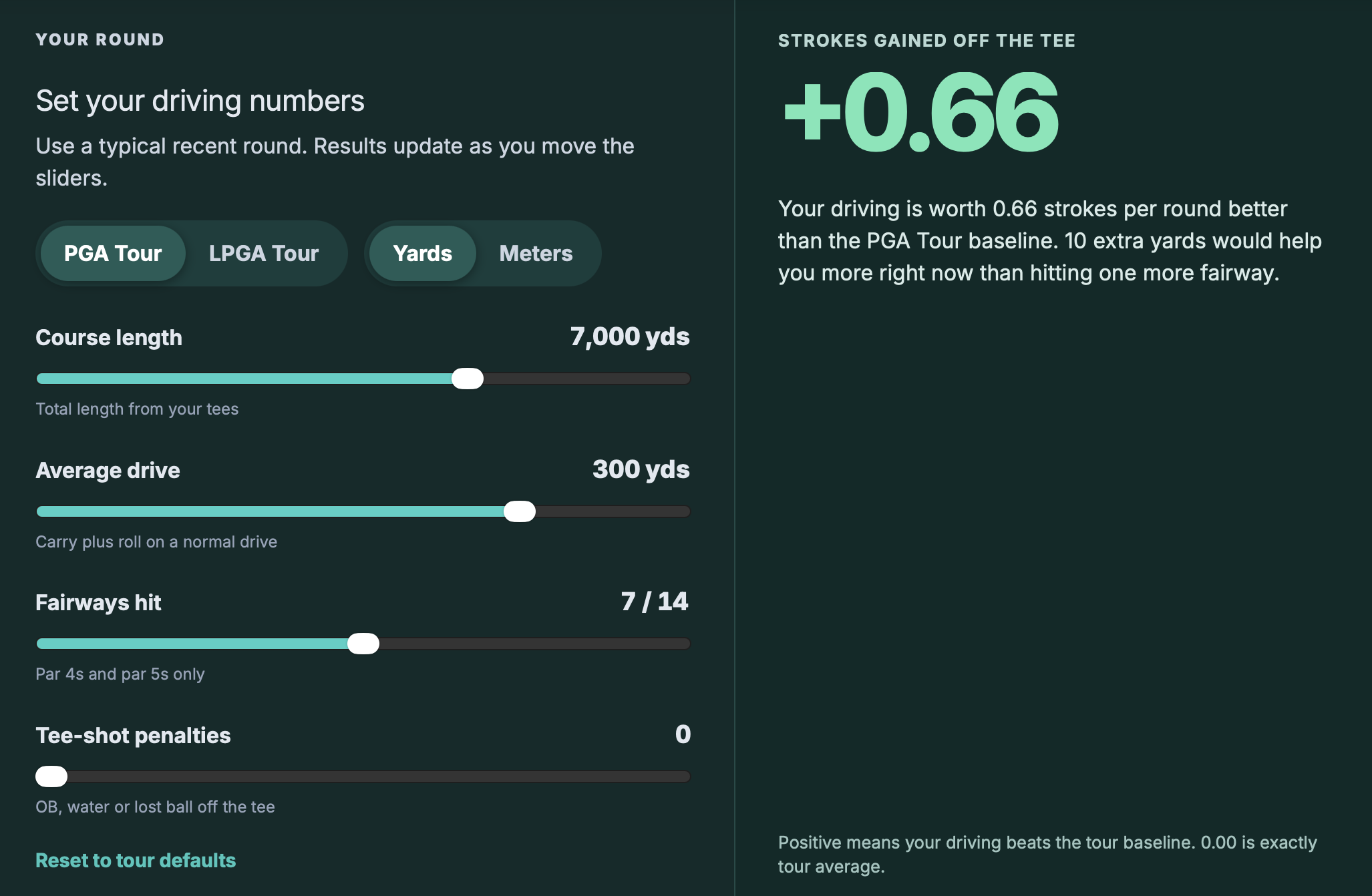
The strokes gained off the tee calculator estimates your driving for a full round using four sliders:
- Course length
- Your average drive, in yards or meters
- Fairways hit
- Tee-shot penalties
You can compare yourself against either PGA Tour or LPGA Tour baselines, so the result is relevant whichever tour you want to measure against. The driving calculator uses separate tables for tee shots, approaches from the fairway, and approaches from the rough.
Fairways hit alone does not tell you what your tee shots are costing you. For the bigger picture, see Tracking Your Tee Shot Dispersion.
Don’t Panic About Negative Numbers
Both calculators benchmark you against tour players, so most amateurs will see negative totals. That is expected, and it doesn’t mean that all hopes are lost.
The value is in the comparisons:
- Compare one round to another to see whether you are trending in the right direction
- Compare putting to driving to see which part of your game is costing you more
We explain why measuring yourself against the highest level still makes you better in Why Comparing Yourself to Tour Average Still Makes You Better.
From a Number to a Practice Plan
A strokes gained number is only useful if it changes what you do next. Once you know where you lose the most shots, practice that area first, and stop spending time on whatever feels worst. We cover this idea in Stop Practicing What You’re “Bad At”.
The calculators cover putting and driving. Approach and short game need shot-by-shot location data, which is what the PARfect app tracks. With the app you can log a round and get strokes gained off the tee, approach, around the green, and putting, along with trends across rounds. If you are new to tracking, start with How to Track Golf Stats the Right Way.
Open the free strokes gained calculators or start your 1-month free trial to get strokes gained for your whole game.
Previous post: Block vs Random Practice: Why Your Range Session Doesn’t Look Like Your Round